
When
First app session
If
sessions = 1
Welcome journeyIntro carousel + first action
Design the screen, choose who sees it, and publish a different journey to every audience—without waiting for another app release.
Install the SDK once. Your product team controls every experience after that.
Edit cards, preview devices, and try NudgeKit AI in the full interactive demo.
Open interactive builderA NudgeKit journey connects a user moment and an audience rule to the exact in-app screen that person should see next.
When
First app session
If
sessions = 1
When
Checkout abandoned
If
checkout = abandoned
When
Power user returns
If
sessions > 10
Your app asks NudgeKit what to show. NudgeKit evaluates the user, picks the first matching journey, and returns the right screen instantly.
Build a journeyCreate dynamic app screens, connect them to audience rules, preview the result, and ship the complete journey from one workspace.
Build each screen visually, then branch the journey with audience attributes. Returning users can see a loyalty offer while new users get a welcome screen—no app release required.
Visual journey builder
Drag branches, set conditions, preview instantly
First-match targeting
Priority order decides which card each user sees
Live without a release
Publish changes while users are already in the app
Live journey
Welcome activation
Evaluate user
First matching branch wins
Returning users
when sessions ≥ 3
Then show
Loyalty offer card
New users
when sessions = 1
Then show
Welcome gift card
Everyone else
Default home layout · fallback
Own the screen, audience logic, preview, publishing, and iteration loop without turning every product idea into an engineering ticket.
Combine cards, carousels, offers, and custom widgets into the exact screen each journey needs.
Live journey performance
Activation
Conversion
D7 retention
Change cards, offers, onboarding, and in-app content after one lightweight SDK setup.
Audience engine
One journey, personalized live
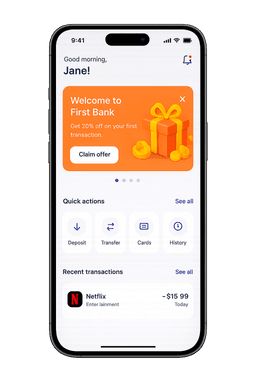
Your perfect next step
Matched to this user in real time.
Use audience attributes and behavior to decide what each user should see next.
Live device preview
Build against a real-device preview instead of guessing how a campaign will look in-app.
Edit cards, preview devices, and try NudgeKit AI in the full interactive demo.
Open interactive builderYour app integrates NudgeKit once. After that, product teams can create dynamic screens, define audience journeys, and publish changes without another mobile release. Native iOS and Android SDKs are coming soon.
Start free and scale as you grow. No hidden fees, no surprises.
Early-user offer
Pro free for 1 year + custom builds included
Perfect for getting started and exploring NudgeKit
For growing teams who need more power and flexibility
For enterprise teams with custom requirements, volume pricing, or dedicated support needs, let's talk.
All plans include SSL encryption, 99.9% uptime SLA, and GDPR compliance.
Only for the one-time React Native SDK setup. After that, product and growth teams can design, target, publish, and roll back experiences without engineering tickets.
Yes. The browser demo lets you explore the builder without creating an account. Sign up when you want to save work or publish to real users.
You can create dynamic app screens using cards, carousels, targeted offers, and custom HTML/CSS widgets, then connect each screen to an audience journey.
A journey connects a user moment and audience condition to the screen that user sees next. For example, a first-session user can receive onboarding while a returning user sees a loyalty offer.
Build the dynamic screen, connect it to an audience journey, and publish it inside your app from one workflow.